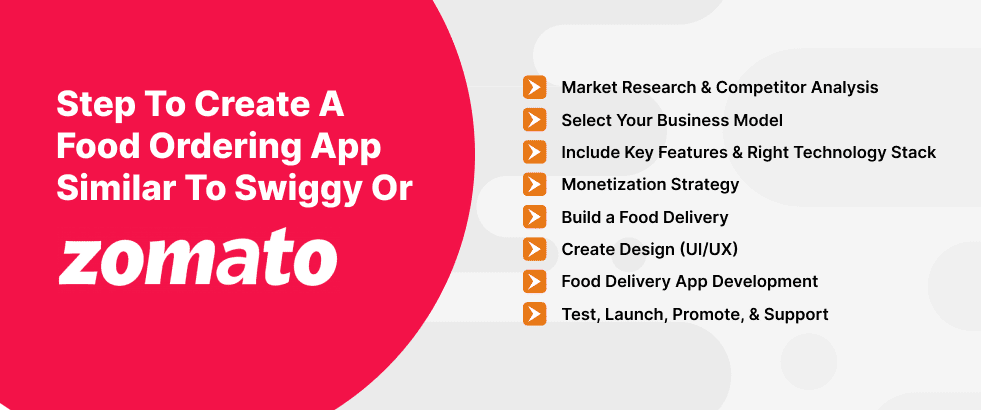
Step to Build a Food Ordering App Similar to Swiggy or Zomato
If you’re dreaming about building a food ordering app but don’t have an idea of where to start, relax, you are at the right place. Making an app like Swiggy or Zomato is a long journey, but when you take small steps of development, it becomes much easier and even exciting.
Let’s walk through that Food Ordering development process together.
Step 1. Start with Market Research and Competitor Analysis
Before getting into designing the screens or hiring a development team, there is one important step that lies at the foundation of the entire food delivery platform: market research and competitor analysis. As a chef needs the right ingredients to make a dish perfect, you just need the right insights to build an app like Swiggy or Zomato.
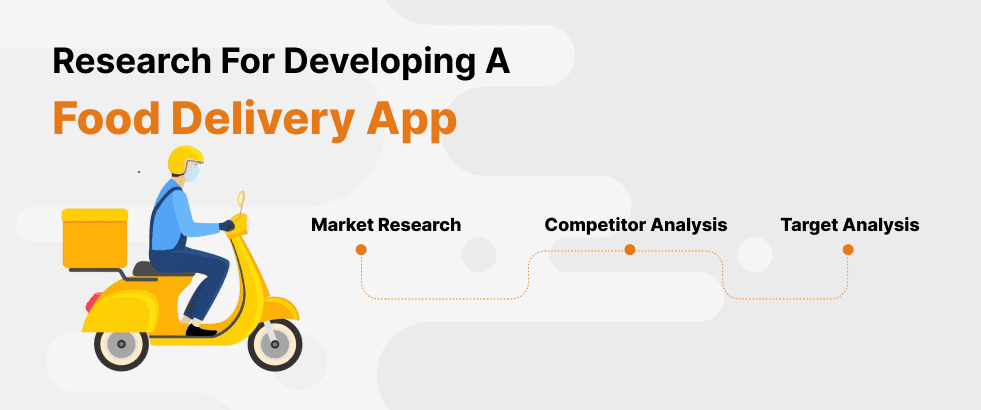
Proper market research, competitor analysis, and target audience analysis make it easier to develop a food delivery app.
First, research about the market and your potential users, their eating habits, pain points, expectations, and what they feel is missing in apps like Swiggy or Zomato. This helps you identify real user needs without having to guess.
Next move to Competitor Analysis and get a deep dive into competitors’ app features, delivery processes, pricing model, customer reviews, and user experience. This is not to copy them but to understand their strength, opportunities, and weaknesses.
Our ultimate goal is to build something fresh, valuable, and appealing. This deep foundation research enables you to make a food ordering app that attracts users and achieves long-term success.
Step 2. Select Your Business Model For Your Food Ordering Solution
After market and competitor research, it’s time to define how the food delivery solution will make money and function. The right business model determines how your app will function and earn revenue. So, let’s get down to the common models used by popular apps like Swiggy and Zomato.
- Order & Delivery Model: You manage the ordering and the delivery. Example: Swiggy, Zomato.
- Order-Only Model: The order is controlled by you, with restaurants managing the delivery. Example: Uber Eats, Grubhub
- Cloud Kitchen Model: This is how Rebel Foods operates-no restaurant, just partnering with kitchens to prepare and deliver food. Example: Rebel Foods, Kitopi
- Restaurant Marketplace Model: Food preparation and delivery by restaurants themselves. Example: DoorDash, Postmates.
Select a business model according to your budget, location, and goals. This choice will define your app’s features, revenue strategy, and growth potential.
Step 3. Key Features for a Food Delivery App
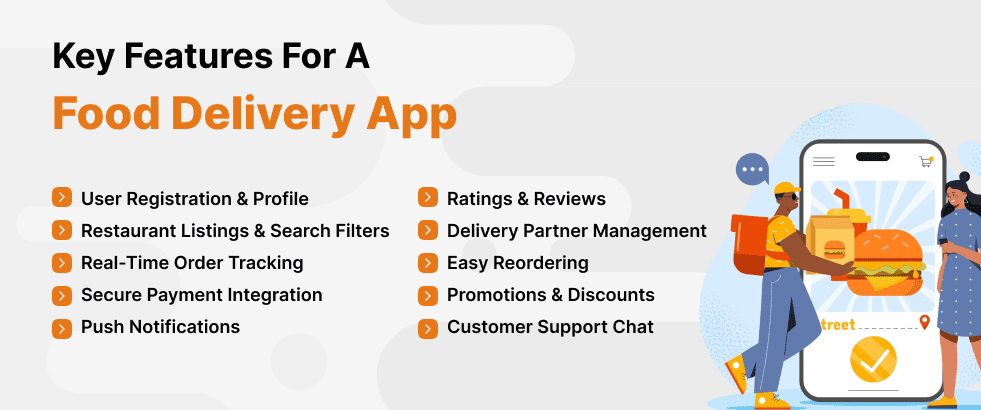
Now it’s time to focus on the core features that will make your food delivery application stand out in the market and deliver an amazing user experience. With the right mobile app development services, you can integrate essential features like easy registration, restaurant search & listings, order customization, ratings & reviews, multiple payment options, real-time order tracking, and an admin dashboard.
These features ensure a seamless user experience that keeps clients coming back. To get an extra advantage in the highly competitive online food delivery industry, one will need to offer more advanced features such as AI-powered recommendations, voice-based ordering, real-time delivery tracking, contactless delivery, multi-language support, in-app chat for support, and dynamic pricing based on demand, which not only uplifts user experience but also enhances operational efficiency.
Moreover, an intuitive admin dashboard simplifies management. Together, these features will facilitate operations, improve user satisfaction, and provide long-term customer loyalty, driving success in the highly competitive food delivery market.
Step 4. Choose the Right Technology Stack for a Food Ordering App
Choose the appropriate technology that ensures your application is fast and scalable, providing a great user experience.
- Frontend: React Native or Flutter for cross-platform applications; Swift (iOS) and Kotlin (Android) for native development.
- Backend: Select either Node.js or Python with Django/Flask for a robust, extendable server.
- Database: MongoDB for flexibility or PostgreSQL for structured data.
- Real-Time Features: Use Firebase or Socket.IO for real-time tracking and notifications.
Payments: Integrate Stripe, Razorpay, or Paytm to handle secure payments. - Location: Google Maps API will be used for correct delivery tracking.
This stack will ensure that the food delivery application is fast, safe, and scalable, delivering seamless experiences to users.
Step 5. Monetization Strategy For Your Food Delivery Apps like Swiggy
Building a food delivery app similar to Swiggy is a profitable business with an efficient monetization strategy. These platforms do not generate income solely from food delivery but also offer multiple services that generate income streams that sustain and grow their businesses. While you start building your food delivery application, you will realise there are many ways in which revenue can be generated.
- Commission from restaurants
- Delivery fees
- Subscription models
- Advertising and sponsored listings
- Incentives for delivery partners
- Data monetization
- In-app promotions
- Restaurant partnerships
By matching up with these strategies and adjusting them to the market needs and customer feedback, you will be on your way to building a profitable business.
Step 6. Build a Food Delivery App MVP
Among the most vital things to be considered at the very start of the journey while developing an app like Swiggy or Zomato is building an MVP first. MVP helps in reducing risks, saves time and money, and helps in gathering valuable key points to scale up your app gradually.
Once your MVP starts gaining demand, you can start adding advanced features like restaurant partnerships, loyalty programs, and more to turn your food delivery app into a profitable business.
Once your MVP starts gaining demand, you can start adding advanced features like restaurant partnerships, loyalty programs, and more to turn your food delivery app into a profitable business.
To successfully launch your MVP, you need to focus on the core features and functionalities that are essential for users to place orders, make payments, and track their food delivery orders.
In this way, you can avoid mistakes in costly investments and also ensure that your food delivery app will truly meet the needs of your users.
Step 7. Create the Food Delivery App Design (UI/UX)
White designing the food delivery application like Swiggy, you must ensure that the user interface is easy for the person surfing through the food app. A well-designed design ensures that users are easily able to find what they want, place an order, and track it with ease. Developers should keep the design simple and aligned with your brand identity. You must focus on the user’s journey from browsing a restaurant and placing an order, and make sure every step is as smooth as possible.
Food delivery application design helps ensure that the journey of a user within an application will be smooth and pleasant. Generally, UI/UX design is meant to define how users will interact with your application and whether they will want to come back. During this step, you will focus on creating an intuitive, visually attractive, and functional design that makes food ordering easy.
By developing an amazing UI/UX design, you can enhance user satisfaction, increase retention rates, and ultimately build an app like Swiggy that users love to come back to.
Step 8. Development of the Food Delivery App
Once you are done with all the research, making an MVP, and finalising the design and the features to be included in the app, you can move on to the development phase. This step involves planning, researching, and designing to bring your ideas to a fully functional, with the development of food delivery app. The development process involves building both the frontend and backend components that will fuel your app’s functionalities.
First, you need to choose a Tech Stack:
- Frontend: React Native or Flutter for cross-platform; Swift or Kotlin for native.
- Backend: Node.js, Python, or Ruby on Rails.
- Database: MongoDB or PostgreSQL.
Frontend Development: Build intuitive UI, restaurant listings, order tracking, and checkout features.
Backend Development: Set up user authentication, order management, and payment gateways.
Realtime Features: Integrate real-time tracking with the Google Maps API and push notifications.
Testing: Perform unit, integration, and security testing.
Deployment: Deploy on AWS or Google Cloud and publish on the App Store/Google Play.
Post-Launch: Monitor metrics, fix bugs, and update feedback accordingly.
This will, in turn, ensure that your food delivery app is functional and scalable by users through this clear and concise development process.
Step 9. Test the Food Ordering App
Testing is a crucial step in developing a food app. The app needs to be tested for functionality, performance, load, and a smooth user experience. In-depth testing enables the identification and correction of bugs before launch, minimizing post-launch issues and improving user satisfaction.
To make your food delivery application smooth and reliable, extensive testing is extremely important. Only through comprehensive functionality, performance, security, and usability testing can you fix all the bugs that could have affected your users.
Effective testing makes the application run smoothly under real-world conditions and delivers expected results to the users, further leading to high user satisfaction, retention, and overall success.
Step 10. Launch Support & Updates of your Food Delivery App
Once your food delivery app is developed and tested, the final stage is to launch it to the market and provide ongoing support and updates. This step is crucial for the amazing user experience, solutions for post-launch issues, and beating the competition.
This will determine the long-term success of your food delivery app. A successful launch means one that is well-planned in advance, effectively marketed to the target audience, and well-executed, while ongoing support and updates will keep your app functional, secure, and user-friendly.
In this way, with continuous improvement related to user feedback, bugs fixed on time, and new features added, you will manage to build brand loyalty among customers and keep ahead of any competition.
Step 11. Promote Your Food Delivery App
Promotion is the very basis on which your food delivery app, like Swiggy, will be discovered, and people will use it to generate a loyal customer base. Now that you have launched your app, onboarded restaurants, and delivery partners, the next step is to spread the word and create the hype.
Here’s how you can promote your food delivery app effectively:
- Digital Marketing
- Referral Program
- Launch Promotion
- Local Partnerships
- Engaging Content
- Offline Marketing
The promotion of your food delivery application is an ongoing process, creative, tireless, and flexible. By making use of digital marketing along with local partnerships, discounts, and rewards, and continuously enhancing the visibility of your application, you will attract not just users but also create a loyal customer base. Promotion isn’t just about getting new users; rather, it’s about keeping them engaged and excited about using your app time after time.